 Wanko Diary
One dog, one set of records, for the whole family
Dad does breakfast, the kids handle the evening walk, Mom gives the medication. Even when you share the care, everyone can add and edit the same records from their own iPhone, so there's no need to ask "Did you already feed her?"
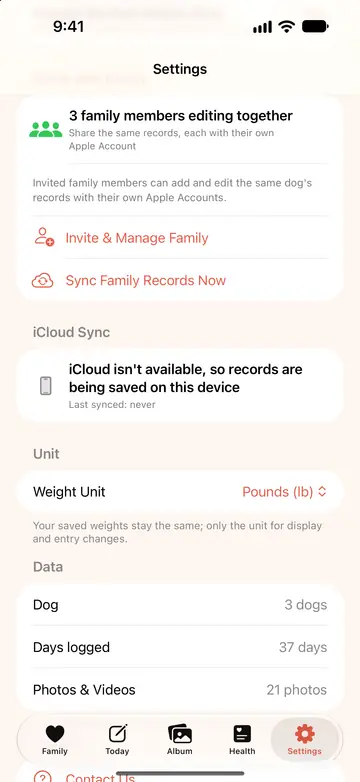
Add and edit the same records, each with your own Apple Account
Invite your family from Settings → Share with Family in the app. Once they join, they can add and edit the same dog's records from their own iPhones. Tap once after a meal, and the same "Today" shows up on everyone's iPhone.
- Share with family who live apart, or who check in while your dog is home alone
- Manage share members from Settings in the app
- Only family members you invite and who join can see your records
3 steps to using it together as a family
Buy the Family Plan
The person who has the records buys the Family Plan (a one-time purchase) from Settings in the app.
Invite your family
Go to Settings → Share with Family → Invite Family and send the invitation, for example in Messages.
Your family joins
Your family members install Wanko Diary and open the invitation to join. From then on, everyone can add and edit the same records together.
Sharing a purchase and sharing records are two different things.
If you turn on Purchase Sharing in Apple's Family Sharing, up to 6 people, including the purchaser, can use the Family Plan with their own Apple Accounts. But records are not shared automatically. To edit the same records together, invite your family from the app using the steps above.
Because every one of them is precious
With the Family Plan, you can add a second dog and more. Records are kept separately for each dog; just tap a name at the top of the screen to switch. Manage each dog's weight, how much they ate, medication and vet visit plans individually.
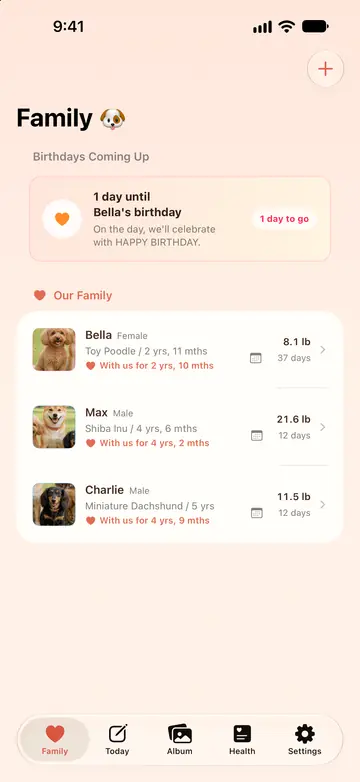
Celebrate your dog's birthday as a family
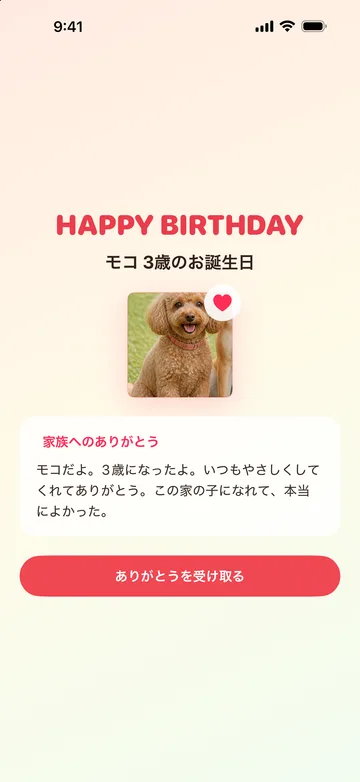
Add your dog's birthday, and a countdown starts 3 days before. On the day, you'll see a celebration screen and a thank-you message from your dog to the family. The message changes every year. Birthday celebrations are available in the free version too.
Family sharing & multi-dog FAQ
Does everyone in the family need to buy the Family Plan?
No. When the person who bought the Family Plan invites family from the app, invited family members can add and edit the same dog's records together without buying it.
How is this different from Apple's Family Sharing?
Apple's Family Sharing shares purchases: up to 6 people, including the purchaser, can use the Family Plan with their own Apple Accounts. It doesn't share the records themselves automatically.
To edit the same records together, send an invitation from Settings → Share with Family in the app, and your family members need to join.
I can't join an invitation.
Check that both the person inviting and the person joining are signed in to iCloud on their iPhones. Sharing records requires iCloud sign-in, enough iCloud storage and an internet connection.
How many dogs can I add?
With the Family Plan, you can add a second dog and more. Records are kept separately for each dog, and you can switch between them at the top of the screen.

Start keeping your dog's everyday moments today.
Wanko Diary is a free iPhone app.
The Family Plan is a one-time purchase, with no subscription.
Requires an iPhone with iOS 17 or later.