 Wanko Diary
NewNow available in English
Free to start iPhone appYour dog's growth and memories, in one diary for the whole family.
Log meals, water, pee and poop with one tap. Weight graphs, a photo and video album, medication and vet visit records, all in one place. From "Did anyone feed her yet?" to "that photo from that day", share it all with your family in one app.
The Family Plan is a one-time in-app purchase. No subscription, no auto-renewal.

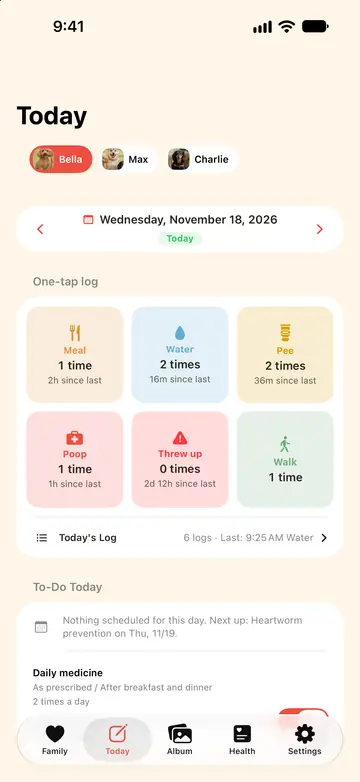
Try one-tap logging right here
Tap a button and it lands in today’s log with the time, just like in the app. With family sharing, the same entry shows up on everyone’s iPhone.
Your iPhone
 Bella
A family member’s iPhoneFamily Plan
Today’s Log
- PeeDad
- MealMom
- WaterMom
This is a sample on the website. Nothing you tap is saved or sent anywhere. Sharing with family is a Family Plan feature.
Does this sound familiar?
- Your family keeps asking each other, "Did someone already feed the dog?"
- Weights and vaccine dates are scattered across notes and calendars
- Photos get buried in your camera roll, and you can't find the one from that day
- At the vet, you're asked "Since when? How many times?" and can't quite answer
- You're not sure whether the medication was given, or who in the family would know
- With several dogs, it's hard to keep track of whose record is whose
With Wanko Diary, it all comes together in one diary.
What you can do with Wanko Diary
From daily care to growth records, health and photo memories. It's a diary you fill in together with your family, day by day, for the dog you love.
Daily care, logged with one tap
Log meals, water, pee, poop and vomiting with the time you tap. Today's counts and "how long since the last one?" appear automatically. Tapped by mistake? Undo it right away. You can also fix the time later or log past days.
- Record meal contents, amounts and how much was eaten, plus poop details and photos
- Keep weight, walks and memory notes in the same day's log
See day-to-day changes in weight and food
Check graphs of weight over time and the daily total of the food you've logged. Look back on this month's logged days and walks too, so small changes are easier to notice.
Learn more about growth records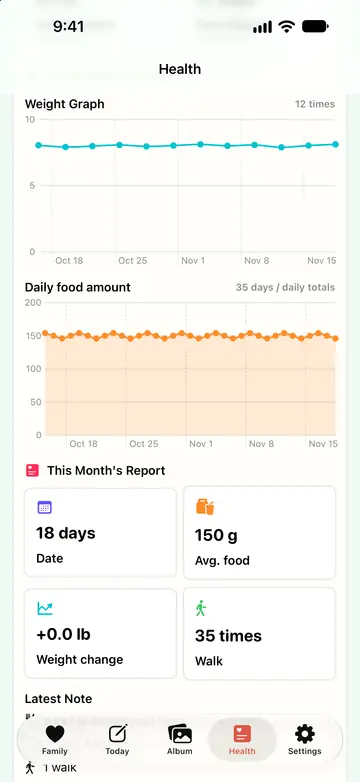
A memory album of photos and videos, by date
Choose several photos and videos at once, or take them with the in-app camera, and keep them with that day's log. Filter the album by dog, year and month. Memories from the same time 1 month, 6 months and 1 year ago come back automatically.
Learn more about the album and memories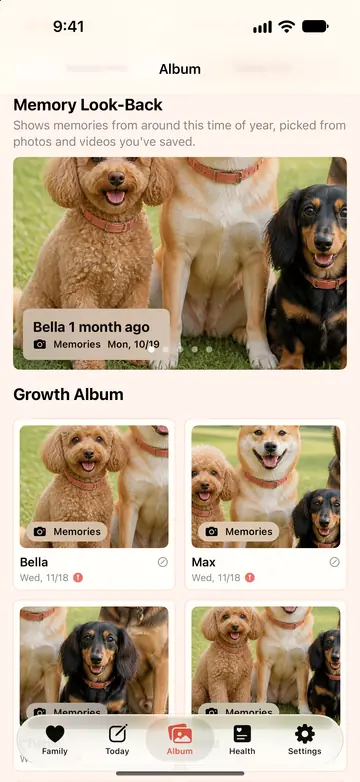
Find memories by the places you went together
On the Memory Map, photos and videos appear on a map by where they were taken. Your usual park or your first trip together: find the memories of that day by place.
About the Memory Map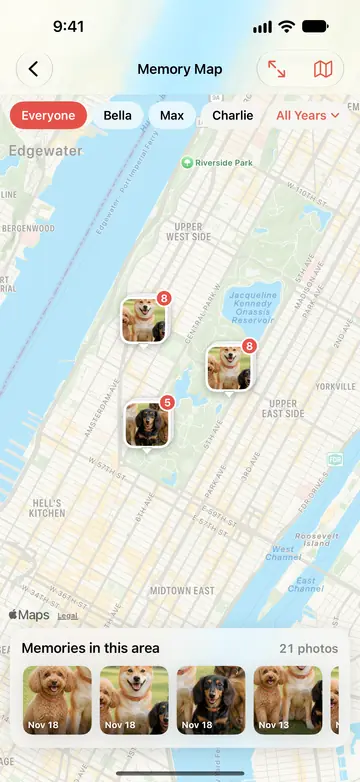
Medication, prevention and vet visits, all in one place
Check off each dose of medication, however many times a day. Get reminders on the due dates of care plans such as heartworm prevention, flea & tick prevention, vaccines, checkups and grooming. Keep vet visit and vaccine records and a summary of vet costs, too.
Learn more about health records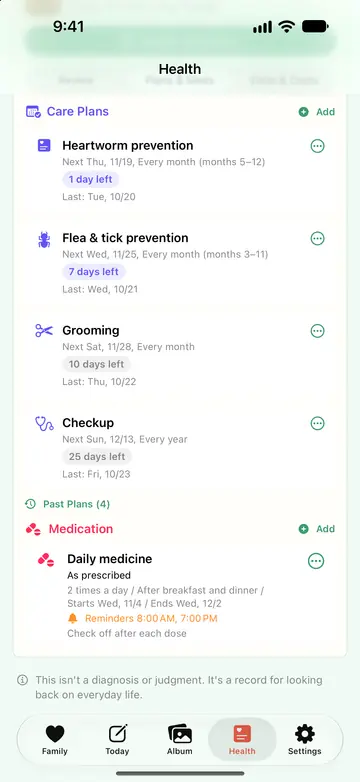
Add and edit the same records from each family member's iPhone
Invite your family, and each of them can add and edit the same dog's records with their own Apple Account. Even family living apart can follow the same "Today" while your dog is home alone.
How to share with family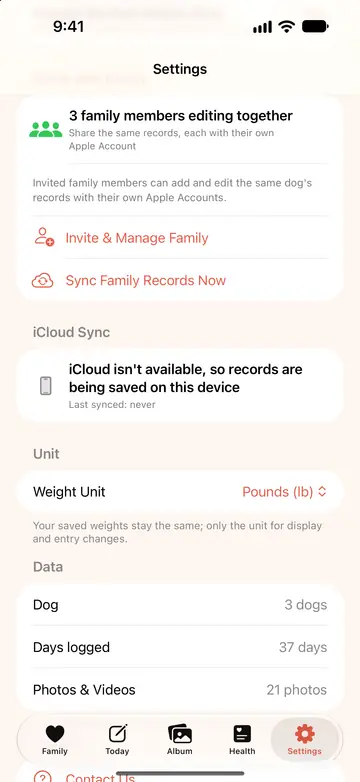
Even more to love
Great for multi-dog homes
Add more than one dog and keep separate records for each. Save allergies, the regular vet and pet insurance details too.
Ready to show the vet
The Health Summary shows meal and potty counts and weight changes for the period you choose. You can share it as a PDF too.
Birthday celebrations
A countdown starts 3 days before your dog's birthday. On the day, your dog sends a thank-you to the family.
Saved to iCloud automatically
When you're signed in to iCloud, records, photos and videos are saved automatically and sync across iPhones using the same Apple Account.
Get started in 3 easy steps
Get it on the App Store
Wanko Diary is free to download. It requires an iPhone with iOS 17 or later.
Add your dog
Just enter a name. You can add the breed, birthday, gotcha day and profile photo later.
Tap to start logging
After a meal, tap "Meal". With the Family Plan, invite your family to log together.
Pricing
Start with the free version. When you want to record more, move up to the Family Plan.
Free version
Free
- A profile for one dog
- One-tap log and history for meals, water, pee, poop and vomiting
- Basic review of your records
- Automatic saving to iCloud
- Birthday celebrations
Family Plan
One-time (in-app purchase)
Everything in the free version, plus every other feature.
- Add a second dog and more
- Weight, meal details, poop details and photos, walks, medication checks and memory notes
- Photo and video album, automatic memory look-backs and the Memory Map
- Weight and food amount graphs
- Health Summary and PDF
- Medication and care plan schedules with reminders, plus vet visit, vaccine and vet cost records
- Invite family to edit the same records together
The price is shown on the App Store and varies by country. Share the purchase through Apple's Family Sharing, and up to 6 people, including the purchaser, can use it.
Use it with peace of mind
No ads
We don't show ads or use any tools for tracking users.
Your records stay in your iCloud
Records are stored on your device and in your own iCloud. They are never sent to our servers.
Shared only with family you invite
Only the family members you invite from the app can see your records.
A tool for keeping records
The app makes no medical judgments such as diagnosis or treatment. If something worries you, please talk to your vet.
For details, see our Privacy Policy.
Frequently Asked Questions
Is it free?
Yes. It's free to download, and you can add one dog and use One-tap log for meals, water, pee, poop and vomiting for free.
Is the Family Plan a monthly subscription?
No. The Family Plan is a one-time purchase that you can keep using forever. There's no subscription and no auto-renewal.
How do I use it together with my family?
The person who bought the Family Plan can invite family from Settings → Share with Family in the app. Invited family members can add and edit the same dog's records with their own Apple Accounts. For details, see Share with Family.
What happens to my records when I get a new iPhone?
When you're signed in to iCloud, your records, photos and videos are saved to iCloud automatically. Sign in to the same Apple Account on your new iPhone and install the app to carry your records over.
Is it available on Android?
Sorry, the app is currently available only for iPhone (iOS 17 or later).

Start keeping your dog's everyday moments today.
Wanko Diary is a free iPhone app.
The Family Plan is a one-time purchase, with no subscription.
Requires an iPhone with iOS 17 or later.